Betwinner Registration in Bangladesh
Betwinner registration in Bangladesh allows new users to create an account through several available sign-up methods. Depending on the current registration form, players may register by phone, email, one-click access, or a supported social network or messenger.
During account setup, users normally need to select Bangladesh as their country, choose Bangladeshi taka as the currency, enter valid contact details, and confirm the required terms. A promo code may also be entered when the registration form provides this field. The sections below explain how to register on Betwinner using each available method.
How to Register on Betwinner
To begin, open the Betwinner website or mobile app and select the Registration button. It is usually displayed in the top-right corner of the page. After clicking it, the registration form will show the available sign-up methods.

Choose one of the available Betwinner registration methods to create your account.
The available Betwinner sign up options may include:
- By Phone: quick registration using a mobile number;
- One-Click: fast account creation with minimal information;
- By Email: full registration with email and personal details;
- Social Networks and Messengers: registration through supported social or messaging platforms.
Users should choose the method that matches their preferred account setup. Some methods are faster, while others may require more personal information before the account is activated.
Betwinner Registration Methods Explained
The available Betwinner sign-up methods may vary depending on the device, location, and current version of the registration form. The main options can include one-click registration, phone registration, email registration, and supported social networks or messengers. Each method creates the same type of account, but the required information and verification steps may differ.
One-Click Betwinner Sign Up
One-click registration is one of the fastest ways to register on Betwinner. It is suitable for users who want to create an account quickly without filling in many fields.
To use one-click registration:
- Select the One-Click option.
- Choose your country.
- Select your preferred currency.
- Enter a promo code if you want to claim an available bonus.
- Confirm that you agree with the required terms.
- Click Register.
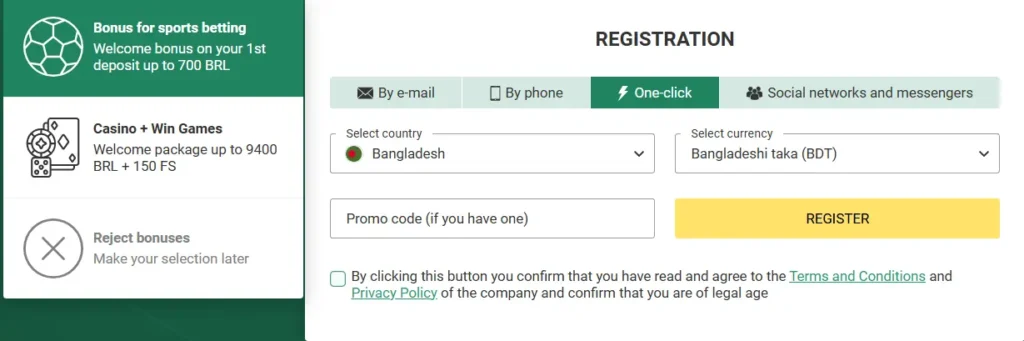
One-click registration lets users create a Betwinner account quickly with basic details.
After one-click registration, the platform may generate account credentials automatically. Save the login details immediately and add verified contact information through the account settings when this option is available.
Register on Betwinner by Phone
Phone registration is useful for users who prefer mobile verification. This method requires a phone number and confirmation code.
A valid mobile number is required because the confirmation code is sent by SMS. The same number may later be used for account verification or recovery, so users should enter a number they can access.
To register on Betwinner by phone:
- Select the By Phone option.
- Enter your mobile number.
- Click Send SMS.
- Enter the confirmation code received by SMS.
- Choose your preferred currency.
- Add a promo code if available.
- Confirm the registration.
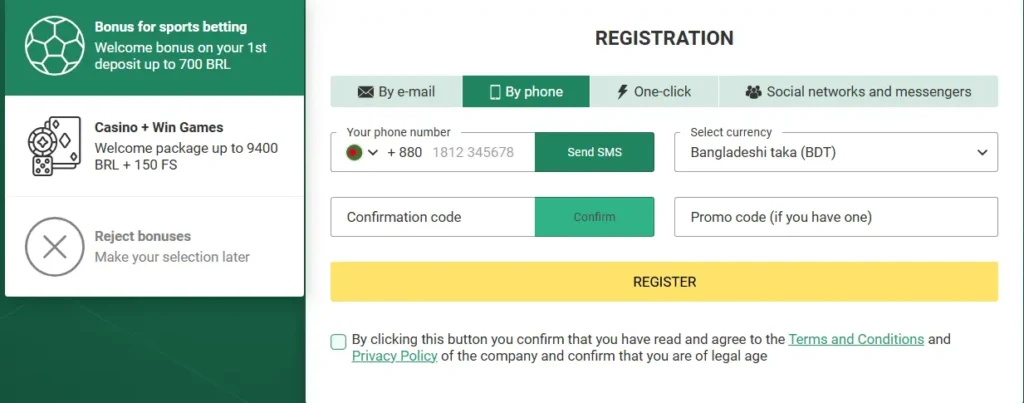
Phone registration uses SMS confirmation to verify the user’s mobile number.
After confirming the phone number, the account can be created and used for login. Users should make sure the phone number is active and accessible before starting this method.
How to Register at Betwinner by Email
Email registration is suitable for users who prefer to create a password and enter their personal details during the initial account setup. The form may request an email address, phone number, name, date of birth, country, city, and preferred currency.
To register by email:
- Select the By Email option.
- Choose your country and city.
- Select your preferred currency.
- Enter your email address and phone number.
- Add your first name and surname.
- Enter your date of birth.
- Create and confirm your password.
- Add a promo code if you want to use an available bonus.
- Click Register.
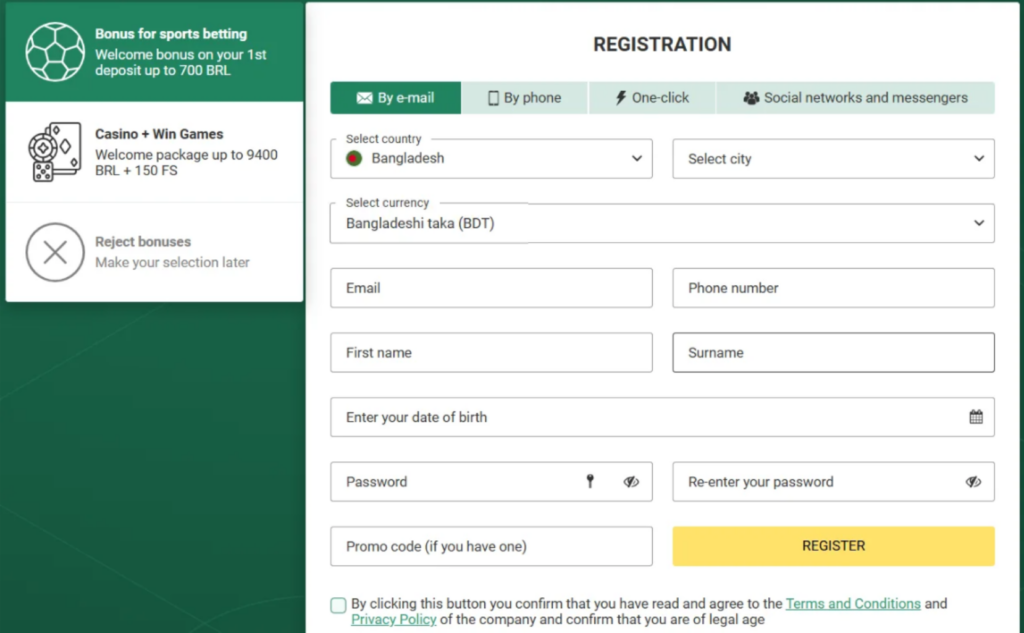
Email registration requires personal details, contact information, currency selection, and password setup.
This method may take longer than one-click registration, but it gives users a more complete account setup from the beginning.
Register on Betwinner via Social Networks and Messengers
Registration through a social network or messenger connects an available external account to the new Betwinner profile. The exact services displayed in the form may vary by device, country, or platform availability.
To register via social networks or messengers:
- Select the Social Networks and Messengers option.
- Choose an available platform.
- Select your country.
- Choose your preferred currency.
- Confirm the registration.
- Complete any additional fields if requested.
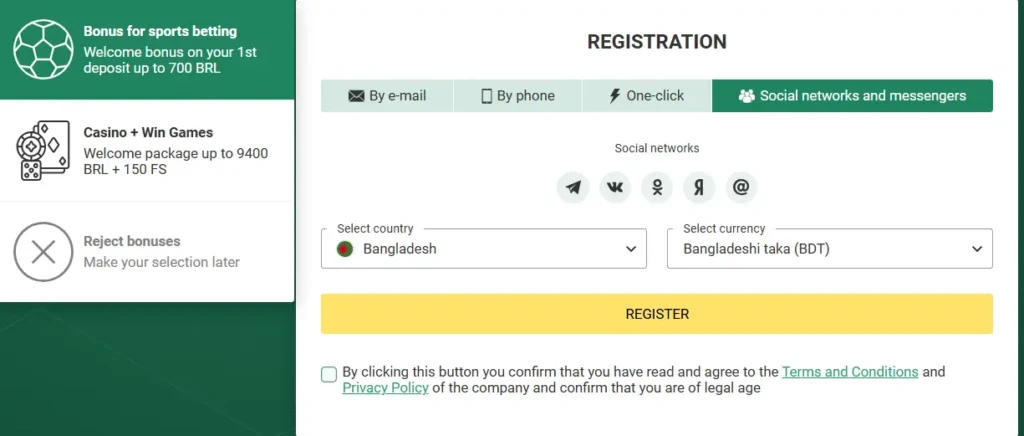
Social network registration allows users to create a Betwinner account through supported platforms.
Availability of this method can depend on region, device, and current platform settings. Users should check which social or messenger options are shown in the registration form.
Registration via Betwinner Mobile App
The Betwinner registration process is also available through the mobile app. Users can download the app, open it on their device, and tap the Sign Up or Registration button to begin.
The mobile registration process is similar to the website version. Users may be able to register by phone, email, one-click, or supported social platforms. The app can also allow users to choose country, currency, bonus preferences, and promo code during account setup.
After completing registration, users can log in through the mobile app, access sports betting markets, casino games, live events, bonuses, and account settings from their device.
Betwinner Promo Code During Registration
During Betwinner sign up, users may see a promo code field. This field can be used to activate an available registration bonus or welcome offer.
If a promo code is available, users should enter it exactly as shown before completing registration. Incorrect spelling, extra spaces, or entering the code after registration may prevent the offer from being applied.
The promo code is usually optional, but it can be useful for users who want to claim a bonus connected to new account registration.
Betwinner Registration Bonus
The registration form may include an optional promo code field. Users who have a valid code should enter it exactly as provided before creating the account. Incorrect spelling, extra spaces, or entering the code after registration may prevent it from being applied.
What to Check Before Completing Betwinner Registration
Before submitting the registration form, users should check all entered information carefully. Correct details help avoid login problems, verification issues, and account restrictions later.
Before clicking Register, check:
- country and account currency
- mobile number or email address
- spelling of personal information
- date of birth, when requested
- password and password confirmation
- selected registration offer
- promo code, when used
- acceptance of the required terms
Users should also make sure they have access to the phone number or email address used during registration, because confirmation messages may be sent there.
FAQ
If the SMS confirmation code does not arrive, check that the phone number is entered correctly and that your mobile network is active. Wait a few minutes before requesting another code. If the issue continues, try another registration method or contact customer support.